Personal safety · Android
When you need them,
your guardians already know.
Now in closed testing on Android: we add you as a tester and send you the install link. iOS coming soon.
Personal safety · Android
Now in closed testing on Android: we add you as a tester and send you the install link. iOS coming soon.
What it does
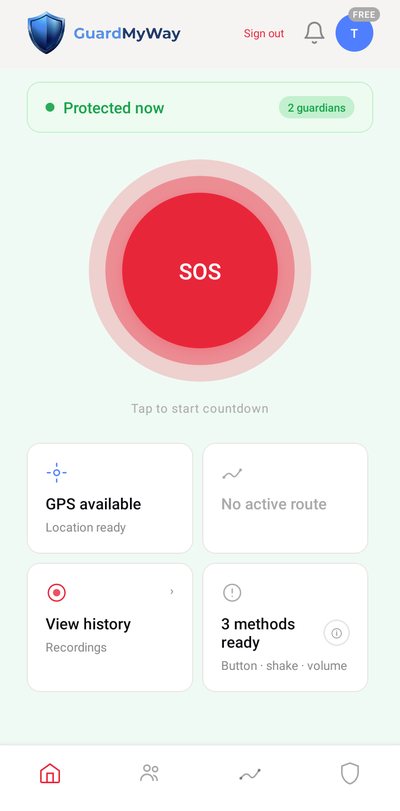
With a tap, a shake or the volume button. Your guardians get an instant alert with your location.
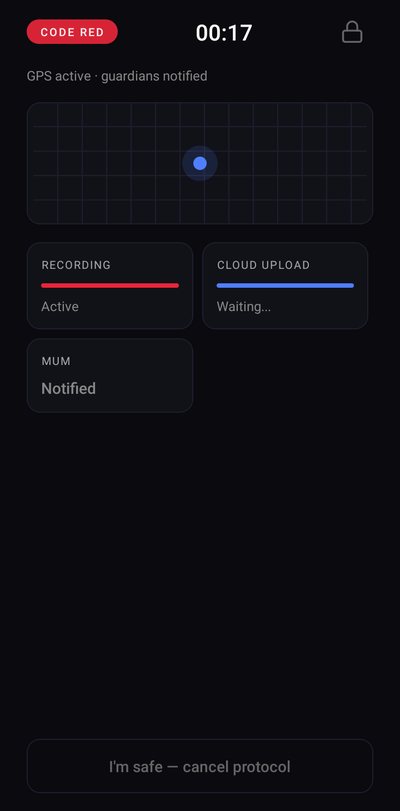
GPS tracking throughout the alert. Your guardians see where you are, live, from their phone.
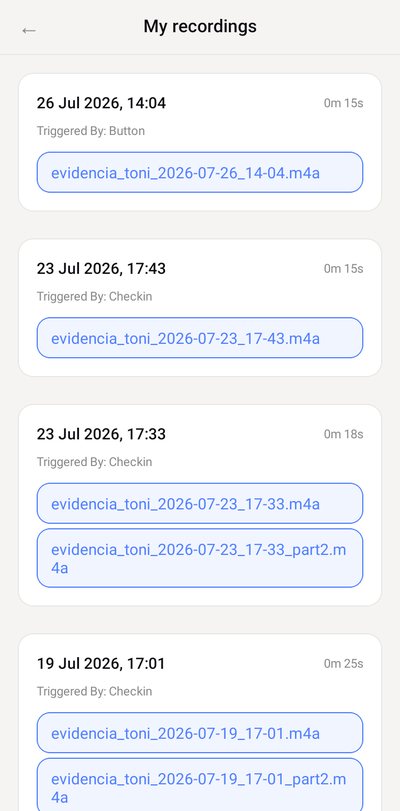
Audio is recorded from the moment you trigger the SOS and stored in a private space, with a digital fingerprint that lets you check it has not been altered. With the Plus plan, your guardians can listen to it during the alert.
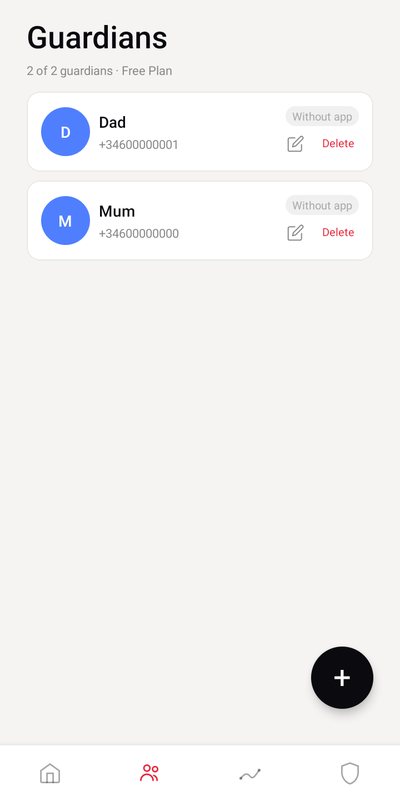
Choose your trusted people: 2 on the free plan, 5 with Plus and 10 with Family. They get the alert even if their phone is on silent or the app is closed.
How it works
Invite the trusted people you want to receive your alerts. They only need to install the app, which is free.
Tap the button, shake your phone or press volume. The SOS activates and records even without coverage; the alert is sent as soon as the connection returns.
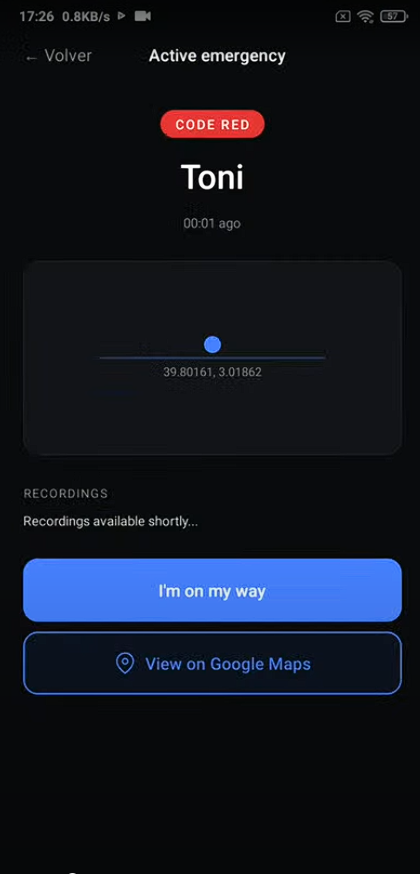
They get a notification with your live location. With the Plus plan, they can also listen to the audio during the alert.
For every moment
Start a safe route with your arrival time. If you do not confirm in time, your guardians are alerted.
Leaving work in the early hours: keep a quick alert at hand in case something goes wrong.
Meeting someone you barely know. One discreet gesture is enough to ask for help with your location.
Running, cycling or exploring a new city with nobody knowing where you are.
Ways to trigger it
The big red button. One tap and the SOS activates.
Three quick shakes. Discreet and fast, with the app open on screen.
With the app open on screen. Quick and discreet, without anyone noticing.
If you do not confirm your arrival in time, the SOS activates. Works with the app open.
With the phone locked, unlock it and press the red button in the app. Once the SOS is active, GPS and recording keep working with the app in the background or the screen off.
Plans
Prices for Spain, VAT included. They may vary by country and are confirmed in Google Play before you pay. Subscriptions renew automatically and you can cancel at any time from Google Play.
The app
Privacy
Recordings are stored in a private space and deleted automatically after 7, 30 or 90 days, depending on your plan.
GuardMyWay shows no ads and uses no advertising identifiers.
You can delete your account and data at any time. Here is how. See also the privacy policy.
Developed by Astrowatcher Engineering. Questions? Write to us at guard@guardmyway.app.
FAQ
Yes. Your guardians need to install GuardMyWay (it is free) to receive alerts. For now we do not send SMS or emails to anyone who does not have it.
The SOS activates and audio is recorded on your phone even without coverage. The alert to your guardians and the recordings are sent as soon as the phone gets its connection back.
Shakes, the volume button and safe routes need the app open on screen. If the phone is locked, unlock it and press the red button in the app. Once the SOS is active, GPS and recording continue with the app in the background or the screen off.
A notification instantly and, when they open it, your live location. With the Plus plan, they can also listen to the audio during the alert.
It is free to start, with up to 2 guardians. The Plus (€2.99 a month) and Family (€5.99 a month) plans increase the number of guardians and the recordings. Cancel at any time from Google Play.
Recordings are stored in a private space and deleted automatically after 7, 30 or 90 days depending on your plan. You can delete your account and data at any time.
No. GuardMyWay alerts your trusted people, not the emergency services. If you are in immediate danger, call 112 (or your local emergency number).
Not yet. Write to us at guard@guardmyway.app and we will let you know when it arrives.
We are in closed testing on Android. Write to us with your Gmail address and we will add you as a tester: we will send you the install link. We only ask that you use it for a few days and tell us what to improve.
I want to be a testerAfter joining the group, Google may take a while to activate access. If the testing link does not work yet, try again later.